
YouTube reaches over 2.7 billion monthly users across 100+ countries and 80+ languages—yet most creators only reach a fraction of that audience. Why? Language. Research shows 72% of consumers prefer content in their native language , and if your videos are only in English, you’re leaving billions of viewers—and revenue—on the table.
Video dubbing—replacing your original audio with a translated voiceover—unlocks that audience. Unlike subtitles alone, dubbed content drives higher engagement, works better on mobile and short-form, and reaches viewers who prefer to listen rather than read. In 2025, YouTube’s algorithm favors multilingual content: creators with dubbed audio tracks see 25%+ of their watch time in non-primary languages , and top creators like MrBeast and Mark Rober now release content in 30+ languages. A Papercup study found that video dubbing can increase revenue by an average of 20%—and up to 50% for languages like German and French.
This guide walks you through how to dub a YouTube video in five straightforward steps, from preparation to publishing.
Want to try before you commit?
Step 1: Add Your Video
We’ve made it easy for YouTubers: just paste the link to your YouTube video and we’ll handle the rest—no downloading, no manual upload required. If you prefer to work with a file directly, manual upload is always an option for MP4, MOV, and other common formats.
Length considerations: AI dubbing scales with your video. A 10-minute video typically takes 10–30 minutes to process, depending on the tool and target language. The AI dubbing market has grown rapidly—reducing turnaround time by 80–90% and costs by ~70% compared to traditional dubbing. If you already have captions or subtitles, ensure they’re accurate—they often feed into the translation step.
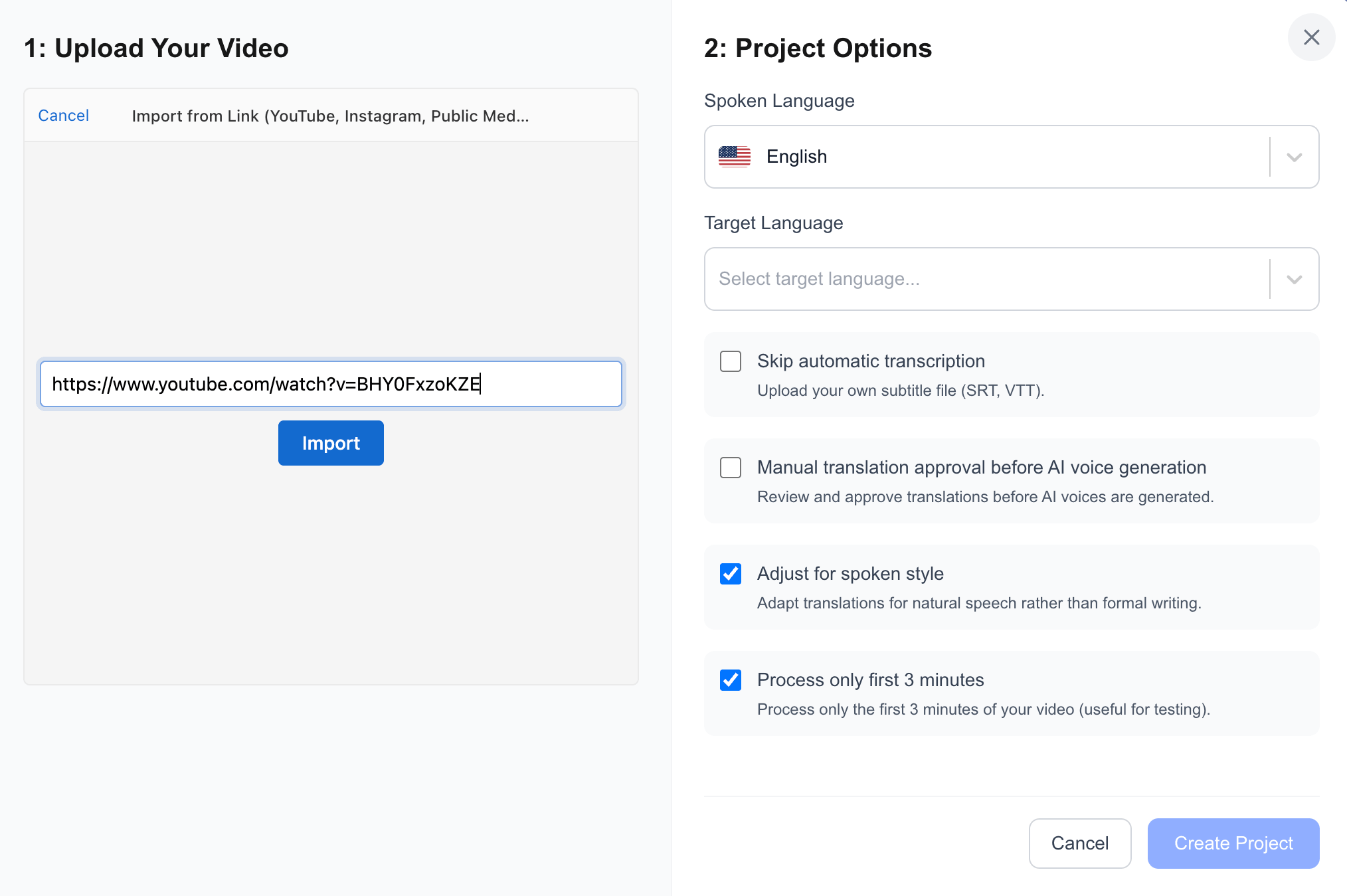
videodubbing.com — Upload your video and configure project options
Step 2: Choose Your Target Languages
Picking the right languages can make or break your dubbing ROI. Use a data-driven approach: the YouTube Revenue Calculator helps you estimate revenue potential by language based on your channel’s current performance.
Top languages for YouTube include Spanish, Portuguese (Brazil), Hindi, Arabic, French, and German—driven by audience size and CPM. Start with one or two languages, measure performance, then expand. Don’t spread yourself thin across ten languages before you know what works.
CPM insights: Research by AIR Media-Tech shows that 13% of creators have invested in professional dubbing, with another 36% trying AI dubbing—and competition is still lower outside English, Spanish, and Portuguese, making 2025 an optimal window for market entry.
| Region | CPM (approx.) | Audience size |
|---|---|---|
| Australia | $13.30 | 21M users |
| Switzerland | $12.98 | 7M users |
| Germany | $9.79 | 65M users |
| United Kingdom | $8.91 | 56M users |
| India | $0.50–$1.50 | 491M users |
| Brazil | $1.64 | 144M users |
| Indonesia | $0.84 | 143M users |
High-CPM regions offer strong revenue per view; high-volume markets offer scale. Use the YouTube Revenue Calculator to estimate potential for your channel.
For more on revenue and language selection, read Video Dubbing: New Revenue Opportunities for YouTube Creators .
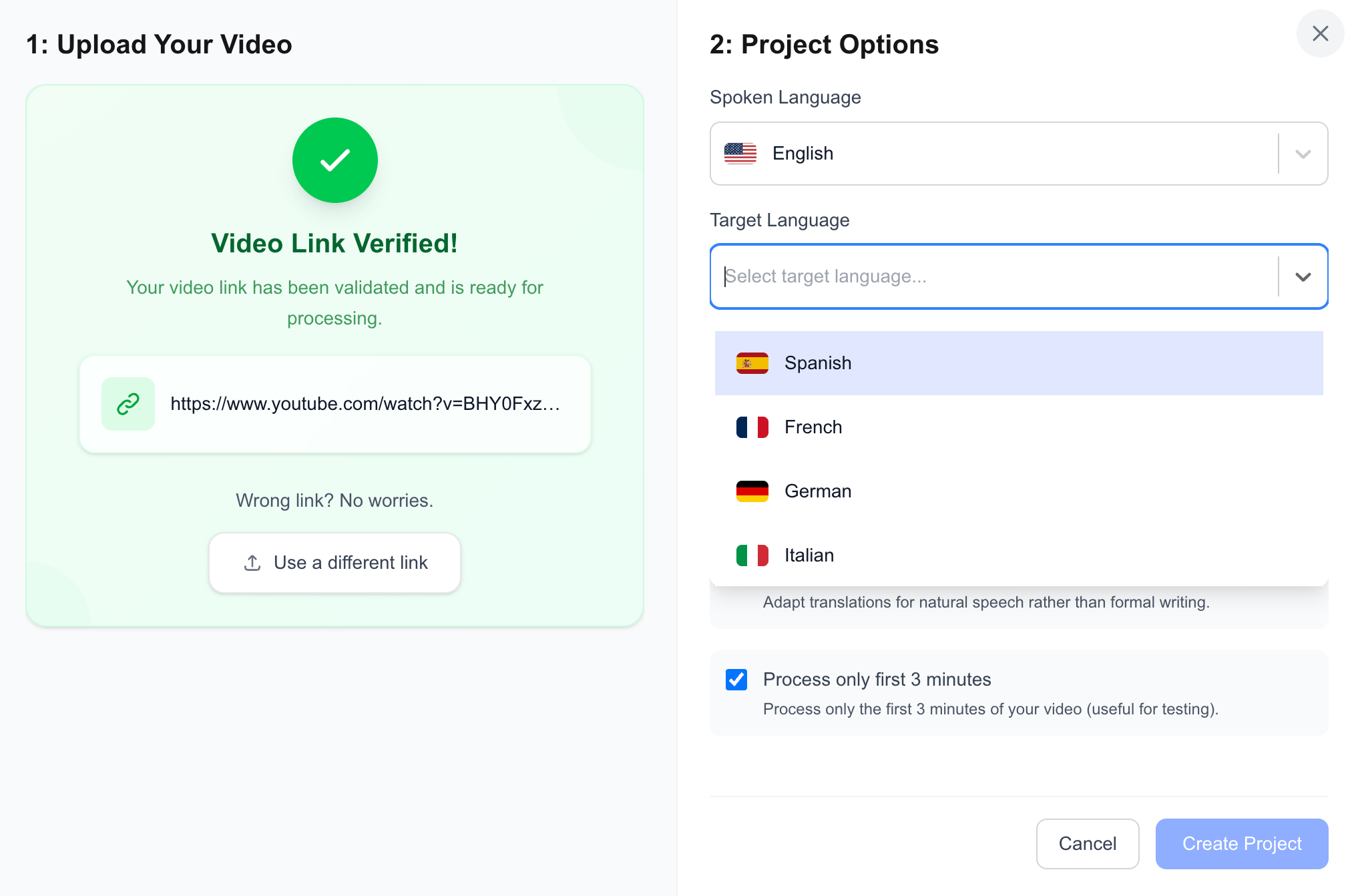
videodubbing.com — Choose language and configure project options
Step 3: Let AI Do the Heavy Lifting
Our tool handles transcription, translation, and AI voice generation in one go. Upload your video, pick your target language, and the system transcribes the speech, translates it, and generates natural-sounding dubbed audio—all automatically. No need to run separate steps. The AI preserves emotion and pacing, and you can choose from a library of voices that match your brand in gender, tone, and accent.
Modern AI dubbing achieves 95%+ accuracy in lip-sync alignment thanks to advances in neural text-to-speech, making it viable for most content types. YouTube rolled out multi-language audio to millions of creators in September 2025, combining both manual and AI-generated tracks—giving dubbed videos a competitive edge in the algorithm.
To understand how the technology works under the hood, check out Behind the Scenes: How AI Powers Video Localization .
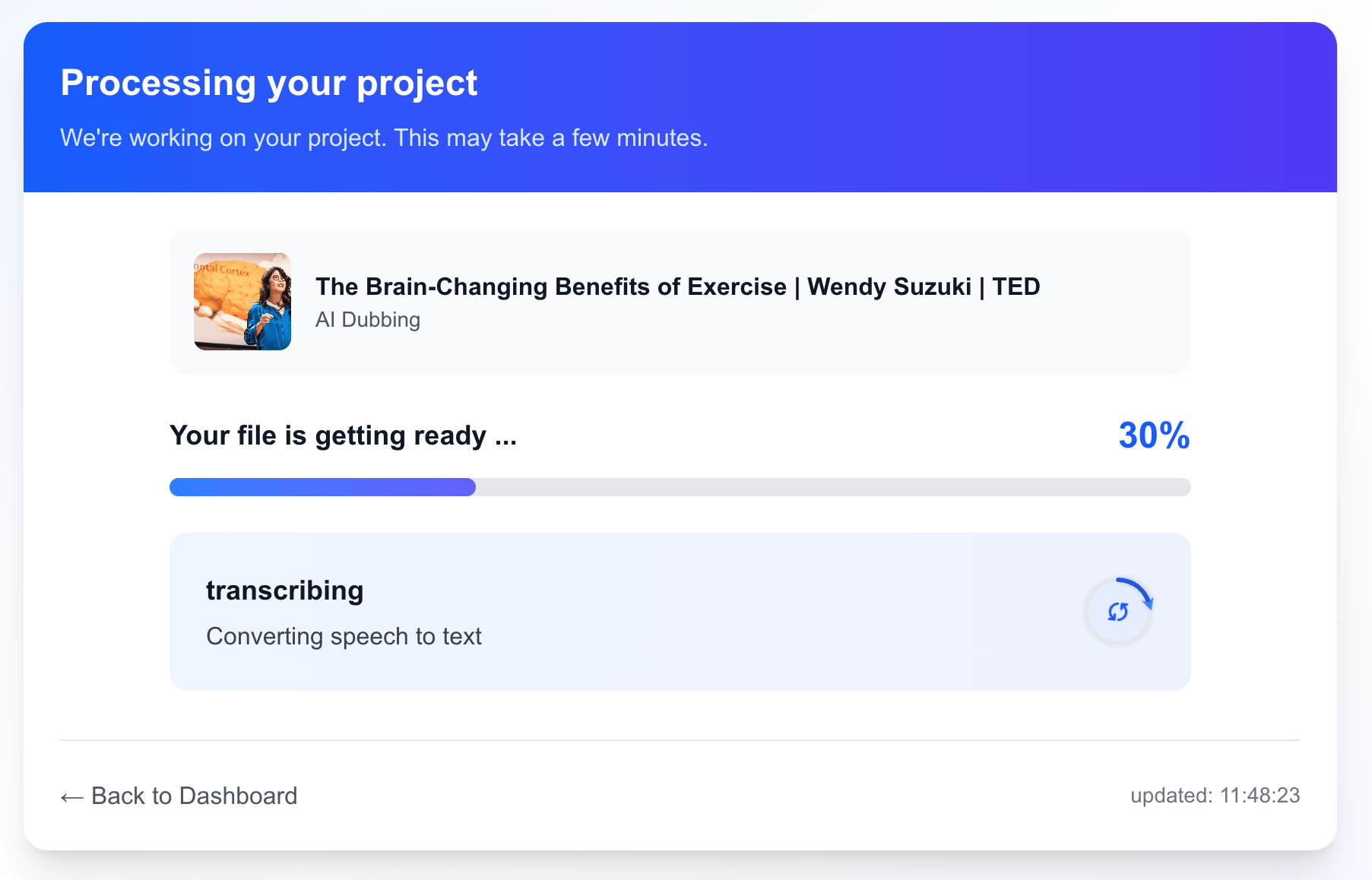
videodubbing.com — Transcription, translation, and AI voice generation
Step 4: Fine-Tune Before Export
Once the AI has generated your dubbed video, you can fine-tune everything before exporting:
| What to check | Why it matters |
|---|---|
| Translations | Edit idioms, brand names, and cultural references for accuracy |
| Timing | Align dubbed audio with visuals—lip-sync and pacing |
| AI voices | Swap or tweak voices to match your brand (gender, tone, accent) |
| Emotions | Adjust pacing and expression for specific segments |
Run a quality check—listen to a sample to ensure the voice and timing feel right. When you’re satisfied, export and you’re ready to publish.
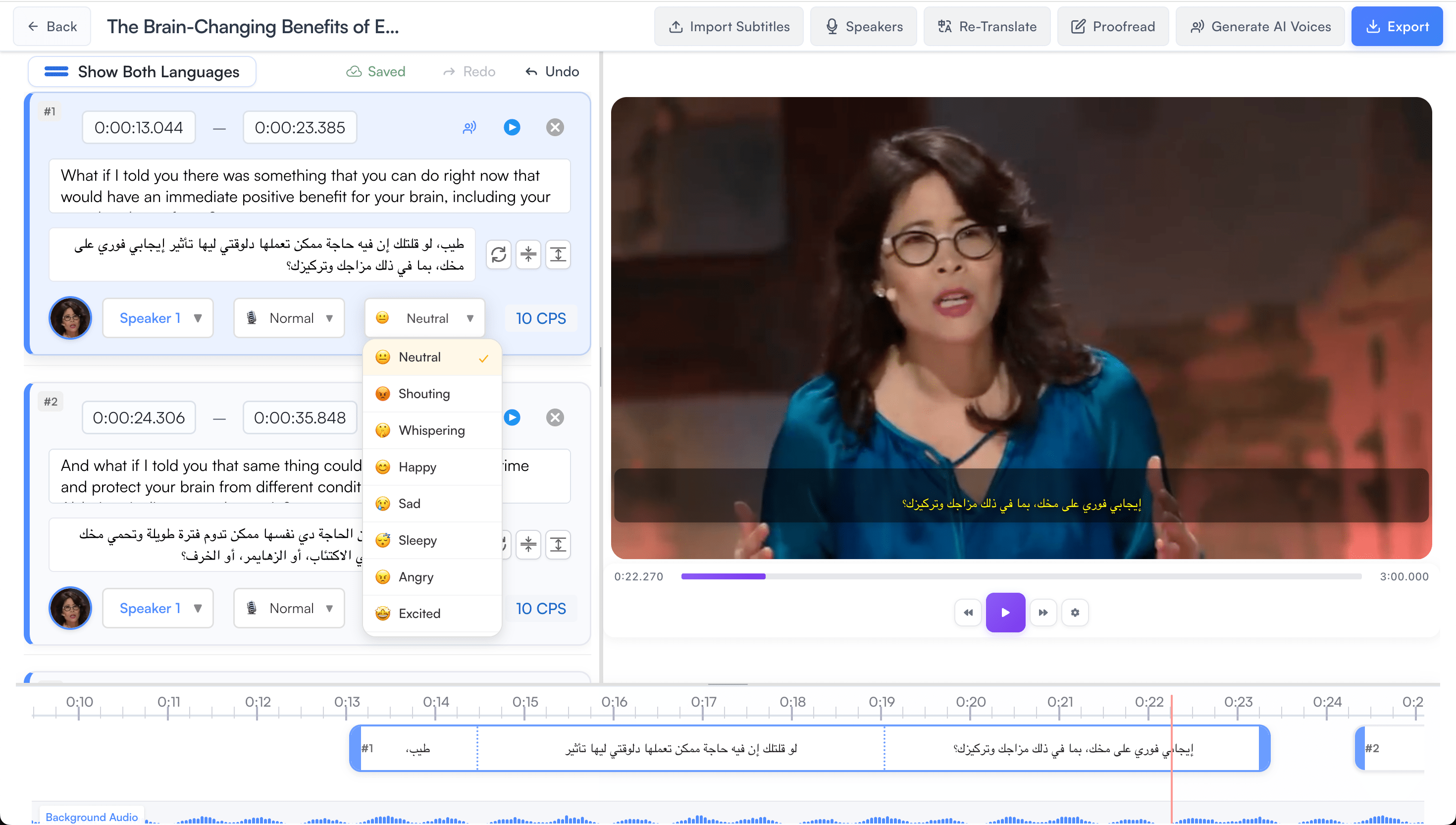
videodubbing.com — Edit translations and adjust timings and emotions
Step 5: Upload and Publish to YouTube
For most creators, the best approach is to upload a new video for each language version. That way you get localized title, description, and tags—all critical for YouTube’s algorithm and discoverability. Add localized text to your thumbnail when possible; it helps viewers in the target language recognize the content.
SEO best practices for multilingual YouTube:
| Element | Best practice |
|---|---|
| Titles | Don’t simply translate—study native creators in your niche and map local trends. Write titles that borrow local formulas while keeping your core concept. |
| Descriptions | Rebuild from scratch for each market. Include local CTAs, region-specific hashtags, and localized keywords from competitor research. |
| Tags | Research region-specific search terms using Keyword Tool and Google Trends with geo-filters. |
Organization: Group language versions in a playlist so viewers can easily switch between them. Cross-seeding dubbed tracks across localized channels has brought +45% views on average for creators using this strategy.
For more on how translation drives growth, see Translating YouTube Videos: Increase Viewers and Revenue .
Conclusion
You can dub a YouTube video in five steps: add your video, choose your target languages, let AI handle transcription and dubbing, fine-tune translations and timing, and upload and publish. With AI-powered tools, dubbing is more accessible than ever—no need for expensive studios or voice actors. The global AI dubbing market is growing at 40%+ CAGR , and creators who move early are locking in audience share before competition saturates. Start with one language, measure your results, and scale from there.
| Step | Action |
|---|---|
| 1 | Add your video (paste link or upload) |
| 2 | Choose target languages (use revenue calculator) |
| 3 | Let AI handle transcription, translation, and voice |
| 4 | Fine-tune translations, timing, and voices |
| 5 | Upload and publish with localized metadata |
Ready to go global? AI-powered dubbing in 50+ languages. Upload your video and get dubbed in minutes.
Related Guides
Frequently Asked Questions
How long does it take to dub a YouTube video?
AI dubbing typically takes 10–30 minutes for a 10-minute video, depending on the tool and language. AI solutions reduce turnaround time by 80–90% compared to traditional dubbing.
Is AI dubbing as good as human dubbing?
Modern AI achieves natural-sounding results for most content, with 95%+ lip-sync accuracy. For brand-critical or culturally sensitive content, human-in-the-loop review is recommended.
Which languages should I dub into first?
Spanish, Portuguese (Brazil), and Hindi offer strong reach. German and French can increase revenue by up to 50%. Use a revenue calculator
to estimate potential for your channel.
Does YouTube favor dubbed content?
Yes. In 2025, creators with dubbed audio tracks see 25%+ of their watch time in non-primary languages. YouTube rolled out multi-language audio to millions of creators in September 2025, and the algorithm favors dubbed content for discoverability.
How much does dubbing increase YouTube revenue?
A Papercup study
found video dubbing increases revenue by an average of 20%, with up to 50% for languages like German and French. MrBeast’s Squid Game challenge gained an extra 57 million views from his Spanish channel alone.


Use the share button below if you liked it.