
In literary translation, faithfulness to the source text is the ultimate virtue: you preserve nuance, tone, and lexical choice at all costs. But in video subtitling, a completely different master dictates the rules: time on screen.
A reader of a novel controls their own pacing; a viewer of a film is entirely at the mercy of the edit and the audio clock.
If you have ever crafted a brilliant, linguistically perfect 15-word translation, only to realize you have a mere 1.5 seconds to display it, you have met the Subtitler’s Dilemma. You have the perfect words, but your audience simply doesn’t have the time to read them.
This guide explains why reading speed (CPS) must override literal fidelity, what major platform style guides actually demand, and how professional subtitlers use syntactic compression to trim language without gutting the story.
Key Takeaways
- CPS (Characters Per Second) is the universal metric for subtitle pacing. Platform guides set strict upper bounds (e.g., Netflix caps adult programs at 20 CPS and children’s programs at 17 CPS).
- Over-limit text ruins the UX. Pushing too much text on screen results in “skimming” (viewers missing context) or “visual fatigue” (viewers staring at text instead of the cinematography).
- Syntactic compression is an industry standard. Netflix’s English guide explicitly tells authors to favor “text reduction, deletion, and condensing” when editing for reading speed.
- Pro tools prevent guesswork. Software with live CPS/QC indicators (EZTitles, Aegisub, OOONA) turns translation into a measurable science before delivery.
- Go Global (videodubbing.com) offers a free, easy-to-use visual subtitle editor and subtitle sync tool in the browser—trim lines on a timeline, then align cues to audio before handoff.
Jump to
| Section | What you’ll find |
|---|---|
| Why CPS beats “literal” translation | Skimming, fatigue, and split attention |
| What the specs say | Hard numbers and explicit editing rules |
| What research says | Eye-tracking, L1 vs L2, and comprehension |
| Syntactic compression | Strong verbs, phatic cuts, and active voice |
| Tools | Enterprise workflows and pre-processing sync |
| Summary | A mental model for subtitle QC |
Why reading speed beats “literal” translation on screen
In the world of AVT (Audiovisual Translation), the video sets the pace. A line that is meticulously faithful word-for-word, but too dense for its screen duration, is not a “good translation”—it is a localization failure.
When subtitles exceed comfortable reading speeds, viewers experience two common failure modes:
- Skimming: The viewer desperately reads the first few words before the cue flashes away. The context and the actor’s intent are completely lost.
- The Reading Loop: The subtitles demand 100% of the viewer’s visual attention just to keep up. Faces, blocking, and cinematic action become ignored background noise. The audience may follow the plot, but they are no longer experiencing the film.
Neither outcome is acceptable to buyers or accessibility-minded creators. Professional subtitling requires editorial design as much as translation. This is why mastering CPS goes hand-in-hand with mastering snap-to-cut timing and managing text expansion.
What Netflix and pro specs say about reading speed
Premium streaming platforms use Timed Text Style Guides because they understand a fundamental truth: subtitles are not books. These guides dictate line length, duration, and reading speed to ensure a consistent, comfortable experience.
For example, Netflix outlines strict reading speed limits in its public English Timed Text Style Guide:
| Program Type | Maximum Reading Speed Limit |
|---|---|
| Adult programs | Up to 20 characters per second |
| Children’s programs | Up to 17 characters per second |
Crucially, the document instructs authors that when dealing with reading speed constraints, they should “favor text reduction, deletion and condensing.” Translation compression isn’t a shortcut or a hack; it is a sanctioned, required skill. While different broadcasters publish their own caps (usually hovering between 15–20 CPS), your delivery brief is always the ultimate authority.
What research says about subtitle speed and viewers
The academic consensus is clear: subtitles inherently add “cognitive load” because viewers must integrate text, moving images, and audio simultaneously. How fast you present that text drastically changes where people look and how much they understand.
Here is what the eye-tracking data tells us:
- Speed and individual differences — Eye-tracking work on intralingual English subtitles at different speeds shows that processing varies by proficiency and strategy; not everyone experiences “fast” subtitles the same way (JoSTrans).
- Format vs comprehension — Studies comparing presentation choices report measurable effects on cognitive load and comprehension; professional segmentation is not cosmetic (Taylor & Francis: subtitle format and cognitive load).
- Fast subtitles and eye movements — Experimental work has examined whether viewers can keep up with faster cues while still sampling the image; results support nuanced conclusions (speed interacts with text amount, scene type, and viewer), not “faster is always fine” (PLOS ONE).
- Dynamic AV text — Research on measuring load for subtitles on video underscores that timed text over motion is inherently demanding; avoidable density makes it worse (ACM).
Practical takeaway: Staying within spec is a baseline. When in doubt—children, dense dialogue, L2 audiences, or accessibility—bias toward shorter lines and more time per cue, not the platform maximum.
Syntactic compression: three techniques that work
Syntactic compression is the disciplined removal of linguistic bulk while keeping the narrative and emotional core. It is the subtitle-specific cousin of “kill your darlings”—the editorial command to cut what serves the writer more than the reader (or, here, the viewer).
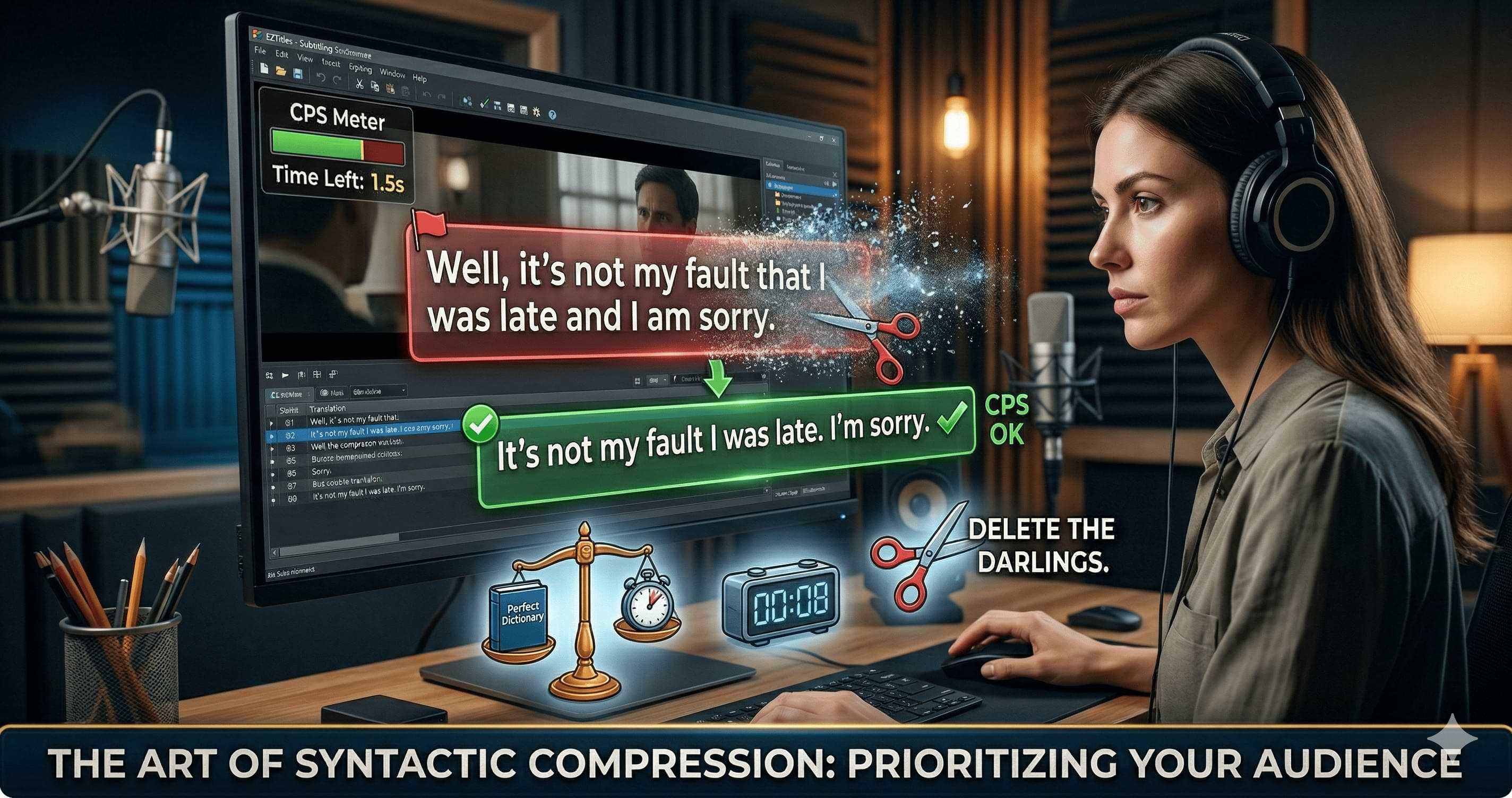
The art of syntactic compression — When time on screen is fixed, trim filler and tighten syntax so meaning stays while the cue passes reading-speed QC.
1. Strong verbs over adjective stacks
Weak verbs pull in modifiers. Strong verbs carry the action in fewer characters.
| Approach | Example | Characters (approx.) |
|---|---|---|
| Literal / padded | He walked very quickly and aggressively across the room. | 54 |
| Compressed | He dashed across the room. | 26 |
Same beat, half the footprint.
2. Cut phatic language and trim conjunctions
Phatic speech (“well,” “you know,” “I mean”) builds natural dialogue in audio; on subtitles it is often redundant because performance and picture already signal attitude. Conjunctions like “and” are frequent first cuts when two clauses become one tight sentence.
| Approach | Example |
|---|---|
| Literal | Well, it’s not my fault that I was late and I am sorry. |
| Compressed | It’s not my fault I was late. I’m sorry. |
You keep accountability; you lose oral padding.
3. Prefer active voice
Passive constructions often add auxiliaries and prepositional phrases. Active voice tends to read faster and shorter.
| Voice | Example |
|---|---|
| Passive | The decision was made by the entire board today. |
| Active | The entire board decided today. |
Tools that surface CPS before you export
You cannot feel CPS reliably at scale. Professional workflows use real-time or batch QC tied to project profiles (language, genre, client cap).
| Tool | Role in CPS / QC workflows |
|---|---|
| Go Global | Free visual subtitle editor in the browser (open app) plus subtitle sync—easy timeline editing and alignment to audio before you run enterprise CPS/QC. |
| EZTitles | Commercial AVT suite; reading-speed indicators and style profiles so out-of-range cues visibly fail checks before handoff. |
| Aegisub | Widely used open-source timing; styles, frame stepping, and scripting/plugins—teams often pair it with manual or external CPS validation. |
| OOONA | Cloud toolset; QC and review flows can flag reading speed issues for fixback without blocking the whole timeline. |
Go Global (videodubbing.com) is built for this loop: a free, easy-to-use visual subtitle editor (open the app) so you see every line on a timeline while you compress for CPS, plus subtitle sync to lock cues to the waveform before frame polish. Pipeline reality: even perfect compression fails if timing drifts from the master—align first, then run reading-speed QC in your authoring tool of record (EZTitles, Aegisub, OOONA, or your client’s suite).
Summary
The paradox of expert subtitling is that the best work feels invisible. Viewers absorb meaning without noticing they are reading.
The next time you delete a gorgeous metaphor to stay under CPS, you are not failing as a translator. You are doing what major specs describe: reducing, deleting, and condensing so image, sound, and text stay in one experience.
Prioritize the audience’s eye-time—and treat word swell and snap-to-cut timing as siblings of CPS, not separate hobbies.
References
- Netflix Partner Help: English (USA) Timed Text Style Guide — Character limits, reading speed limits, editing for reading speed
- Netflix Partner Help: Timed Text Style Guide – Subtitle Timing Guidelines — Duration, gaps, shot changes
- JoSTrans: Subtitle speed and individual differences (eye-tracking)
- Taylor & Francis: Subtitle format, cognitive load, comprehension (eye-tracking)
- PLOS ONE: Fast subtitles and eye movements
- ACM: Measuring subtitle impact on cognitive load
Further reading
- Text expansion in subtitles: fix CPS and character limits — Word swell, line length, translation expansion
- Snap-to-cut subtitling: shot-change timing — Frame-accurate cues and platform timing philosophy
- Ultimate guide to YouTube video translation and subtitling tools — Broader tooling landscape
Related guides
Use our free visual subtitle editor to trim and spot lines—then sync to audio with one workflow.


Use the share button below if you liked it.