🎬 Free export • Styled subtitles

Professional Subtitles — Hardsub, Softsub & Styled Export

Design subtitles on your video with a visual style editor, preview exactly what you will export, and download SRT, WebVTT, MP4 hardsub, or MKV softsub — included free for all users. Works for subtitles-only projects and full dubbing workflows.
Start for free
✨ Export included free 🌍 RTL & 50+ languages

One workspace for styling, sync, and export

Timeline editing, live styled preview, and export in one place — built for creators, educators, and localization teams who need professional subtitles without switching tools.
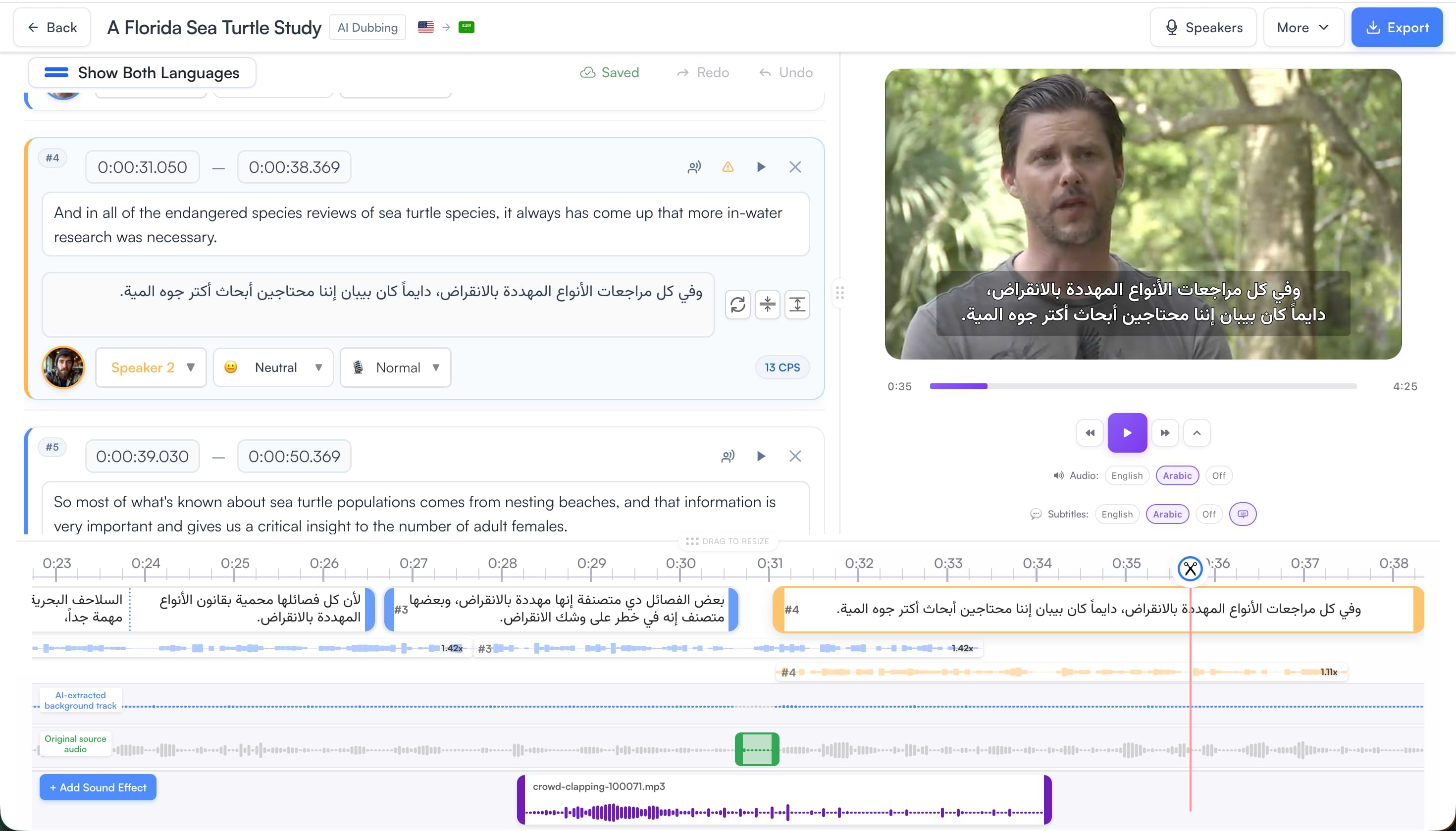
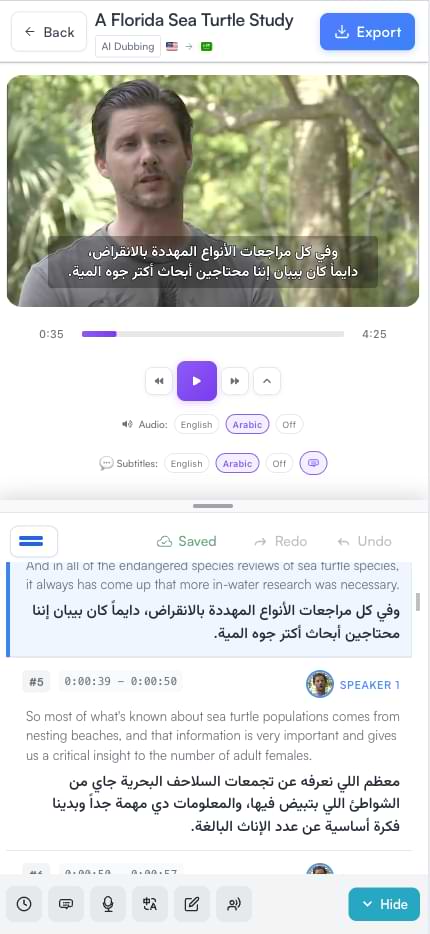
Subtitle editor desktop interface Subtitle editor mobile interface
📺Delivery modes

Hard subtitles vs soft subtitles

Choose the export that fits your platform. Both preserve your fonts, colors, and layout from the style editor.
Hard subtitles (burned-in)

  • MP4 with text permanently in the picture
  • Works everywhere — social, email, legacy players
  • Best for Shorts, Reels, and TikTok where captions must always show
  • Styled fonts, outline, and background preserved in the burn-in

Soft subtitles (switchable)

  • MKV with embedded styled ASS subtitle track
  • Toggle on/off in compatible players
  • Dual original + translation tracks when both exist
  • Best when viewers choose language or turn captions off
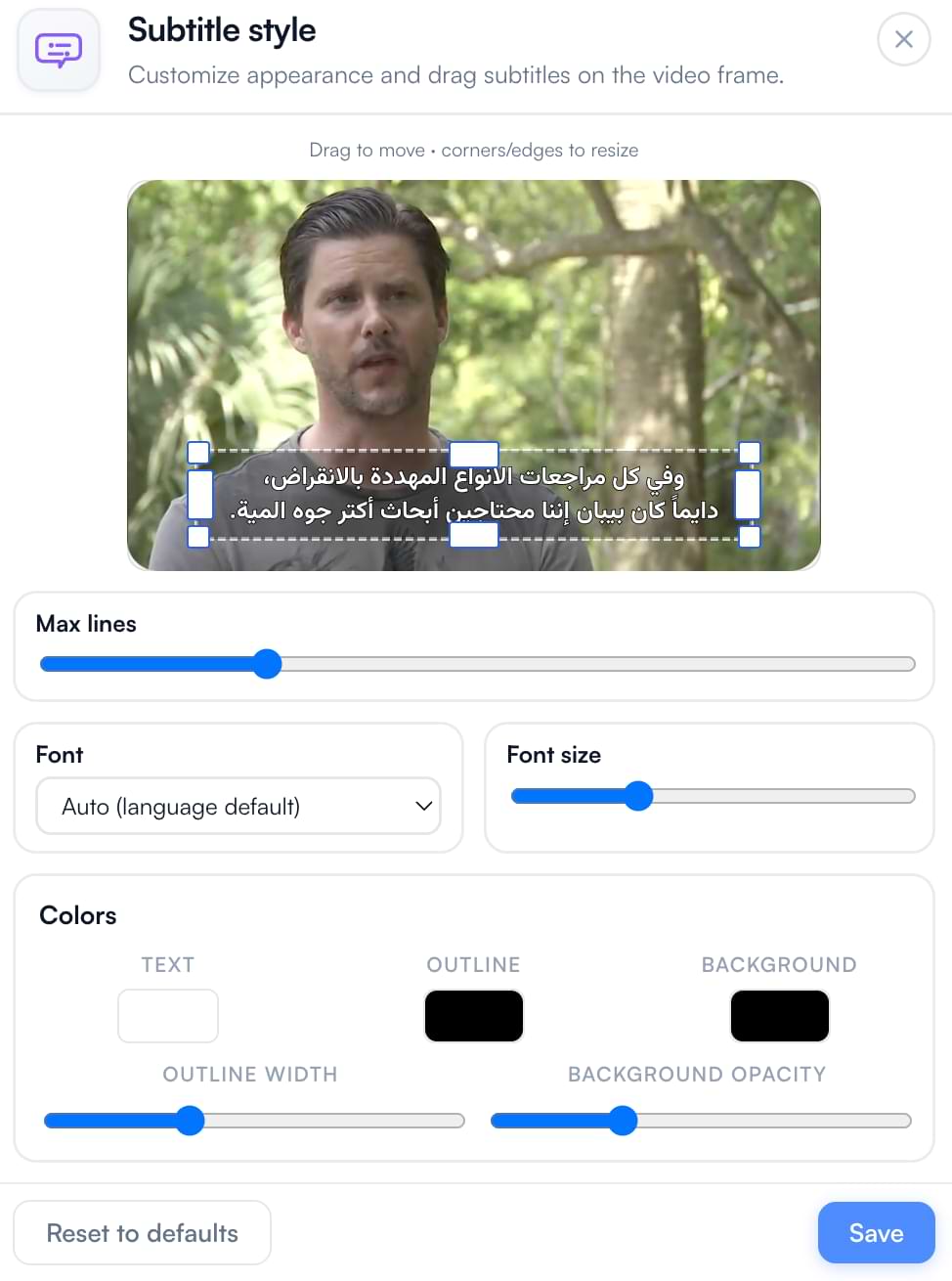
Visual subtitle style editor with draggable text box

Visual style editor

Drag and resize the subtitle text box directly on your video frame. Pick fonts by script, tune colors and outline, and set background opacity — with smart defaults for portrait and landscape.

  • Draggable, resizable subtitle box on the video
  • Font library: Latin, Arabic/Persian, Hebrew, Indic + auto language default
  • Text, outline, and background color with opacity control
  • Box width drives line wrapping and automatic chunking
👁️Preview parity

What you see is what you export

The preview overlay uses the same layout math as the export pipeline — font size is computed for your video’s native resolution, not the preview panel size. Styled hardsub output matches the editor preview.

Export formats

Every export path is included free for platform users — subtitle files, burned-in video, soft tracks, and dubbed audio with optional subtitles.

Subtitle files — SRT & WebVTT

Instant download of original or translated tracks for YouTube, editors, and CMS workflows.

Hardsub video — styled MP4

Burn styled subtitles into MP4 with libass — ready for social and universal playback.

Softsub video — styled MKV

Mux styled ASS tracks into MKV; dual-language tracks when translation exists.

Audio + subtitles on dub exports

Export MP3 or MP4 with dubbed audio and optional styled subtitles — timings remapped to TTS playback.
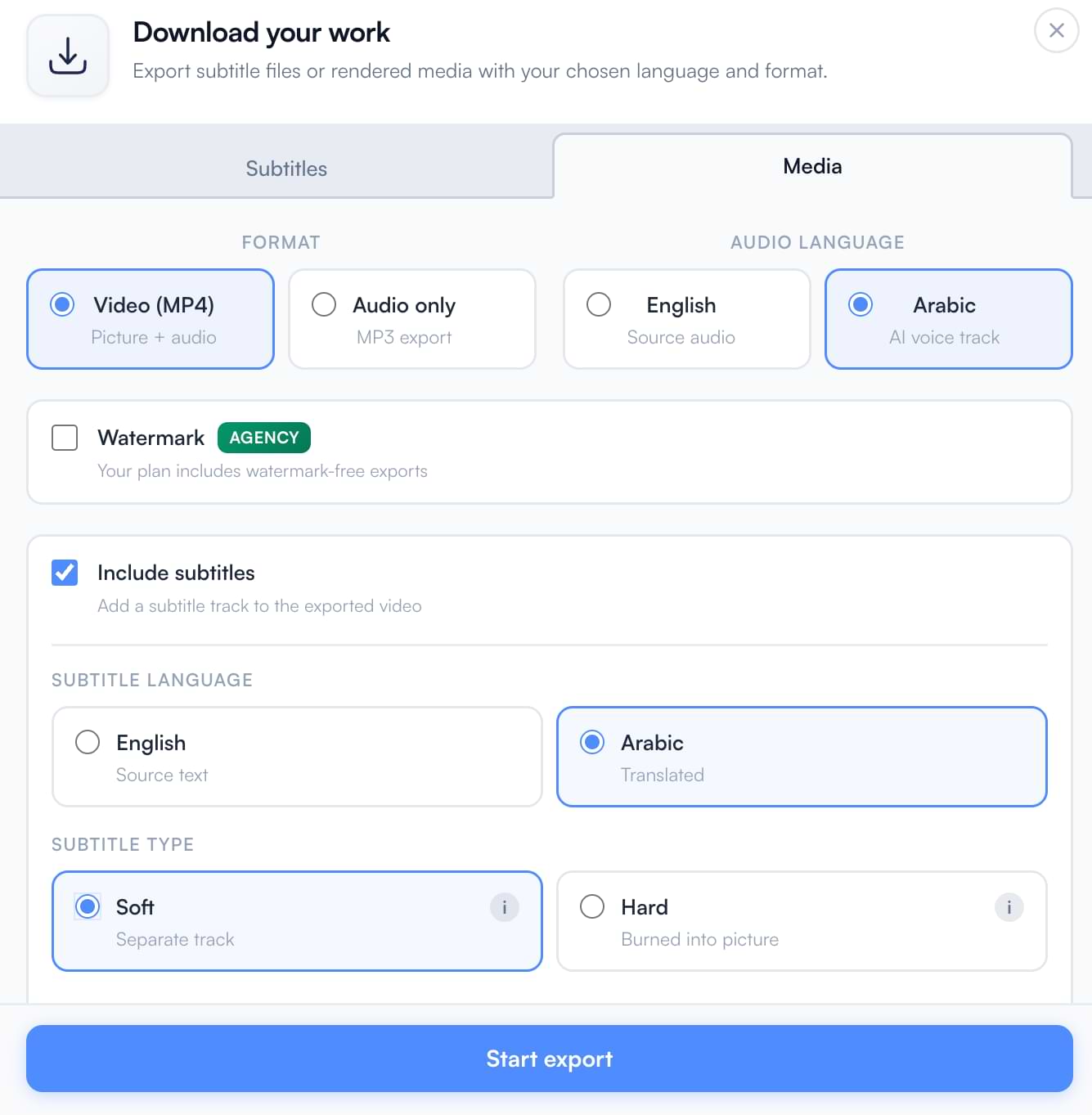
Export options for subtitles and video

Sync, chunking & timing

Fix drift, split cues, and keep lines readable — with the same chunking logic in preview, file export, and video burn-in.
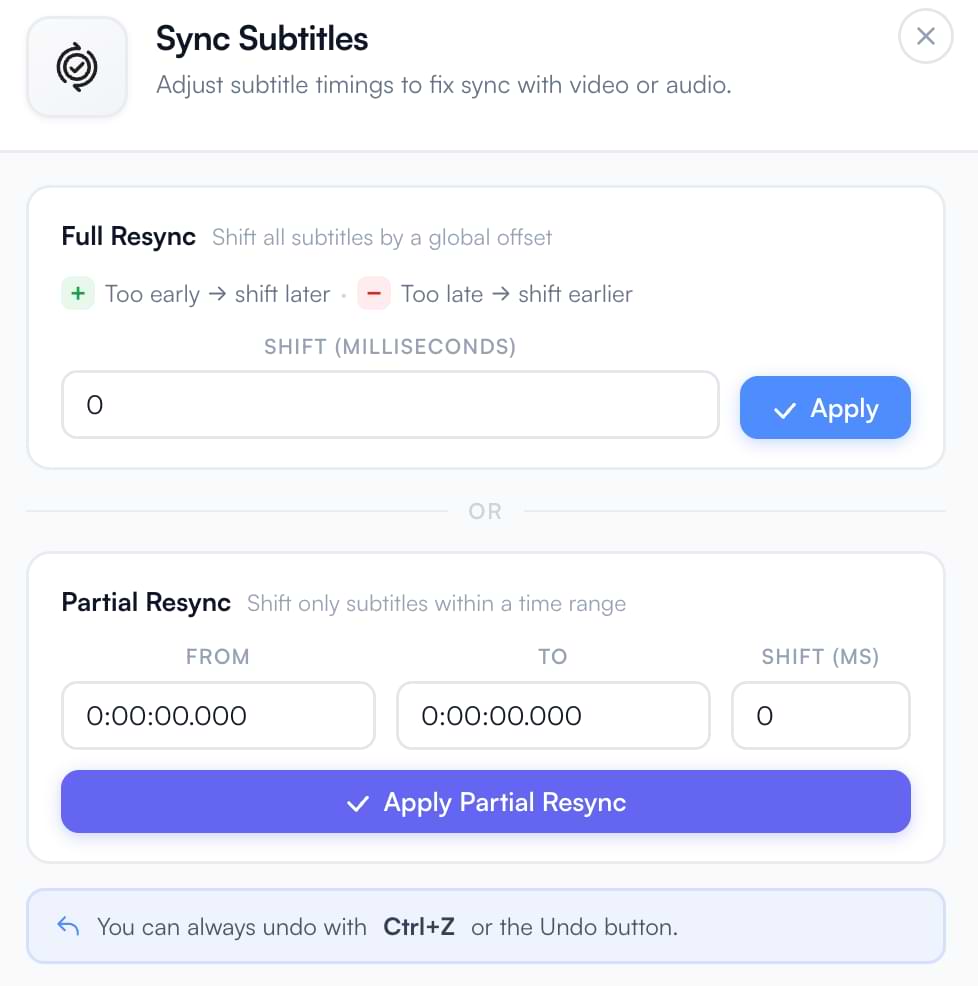
Subtitle timeline and sync controls

Full & partial resync

Shift all subtitles by milliseconds, or resync only the segment range that drifted after a re-edit.

Split at playhead & add segments

Split a cue at the current time or insert a new segment without leaving the timeline.

Box-aware chunking

Long cues split into readable lines based on your subtitle box width, font size, and portrait vs landscape layout.

Dub-aware timing

When exporting with TTS voiceover, subtitle timings remap to match synthesized speech.

RTL & global scripts

Arabic, Hebrew, and Persian are auto-detected with RTL direction, script-appropriate fonts, and proper shaping in both preview and export — hardsub and softsub.
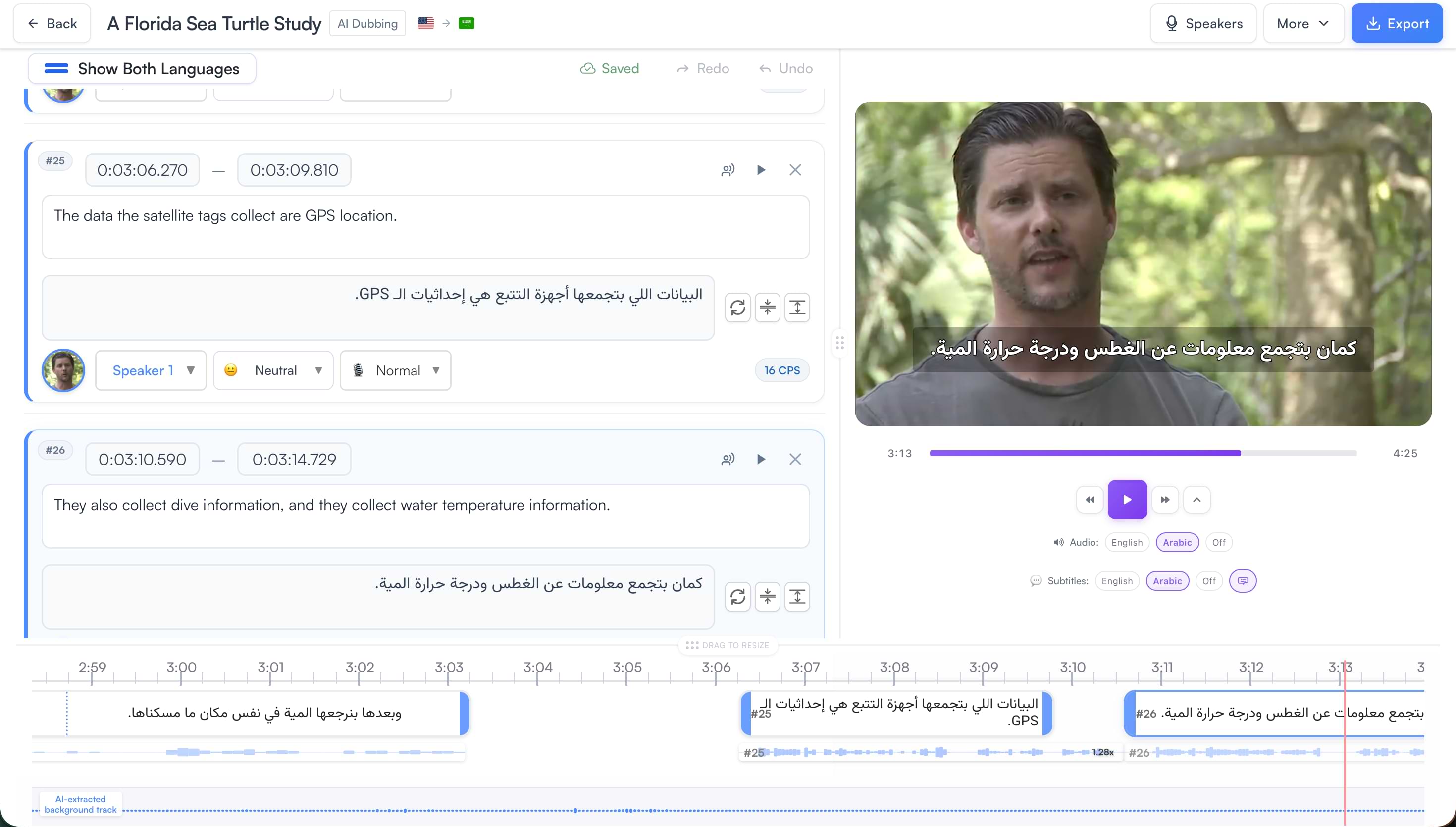
RTL styled Arabic subtitles preview
🎙️Dubbing projects

Per-segment export modes

In dubbing workflows, control how each segment appears in the final export:

Voiceover (default)

Segment is dubbed with AI voice — standard for dialogue and narration.

Hard-sub caption

Keep original audio but burn translation as on-screen text — ideal for lyrics, poetry, or quoted speech.

Hidden from export

Exclude a segment from the exported video or subtitle track when it should not appear.

🚀 Ready to export
Styled Subtitles, Your Way
Open a project, design your look, and export SRT, VTT, MP4 hardsub, or MKV softsub — free for all users.
Free export • Styled hardsub & softsub • 50+ languages

Subtitles — Frequently Asked Questions

What is the difference between hardsub and softsub?
Hard subtitles are burned into the video pixels — always visible, compatible with every player. Soft subtitles live in a separate MKV track so viewers can toggle captions or switch languages. Both support your custom fonts, colors, and box layout from the style editor.
Are subtitle exports free?
Yes. Downloading SRT/WebVTT files and exporting styled MP4 hardsub or MKV softsub is included free for all videodubbing.com users — no separate export fee.
Which format should I use for YouTube or social media?
Upload SRT or VTT to YouTube as separate captions, or export MP4 hardsub when captions must be baked in. For TikTok, Reels, and Shorts, hardsub MP4 is usually best. Use MKV softsub when you want toggleable or dual-language tracks.
Does videodubbing.com support Arabic and RTL subtitles?
Yes. Arabic, Hebrew, and Persian are auto-detected with RTL layout, script-appropriate fonts, and proper shaping in preview and export. For fixing direction in existing files, use our free RTL Subtitle Fixer.
What is the difference between SRT, VTT, and burned-in subtitles?
SRT and WebVTT are editable subtitle files — upload them to platforms or mux as soft tracks. Burned-in subtitles are rendered into the video and cannot be turned off, but they work on every device and social feed.

Start for free → · All free tools · Enterprise