Script-to-audio conversion (.txt, .docx)
Upload a plain-text or Word document and the AI converts it into timed spoken segments — no recording required.
Upload your script, then set your language and voice — the same simple two-step flow you see in the app. No video upload, no transcription step. Just your written content and the voice you want.
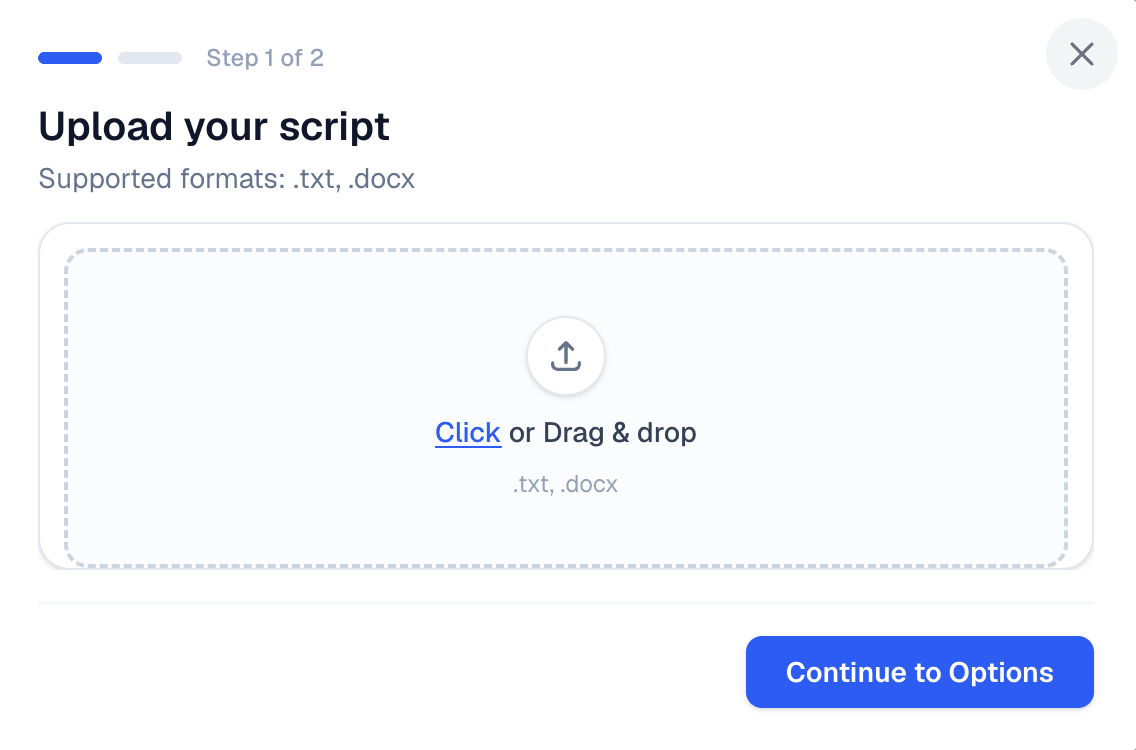
No recording booth required. Upload your script, pick a voice, and let AI handle the narration — then take full control in the editor before export.
Upload a .txt or .docx file — a podcast episode script, audiobook chapter, newsletter draft, or training document.
Set the text language as a hint for narration, then search the voice library, filter by characteristics, and preview samples before selecting.
The AI converts your script into timed spoken segments with natural voiceover — ready for review in minutes.
Fine-tune text, timing, and voices in the visual editor. Insert sponsor ads if needed. Export MP3 or WAV for Spotify, Apple Podcasts, or RSS.
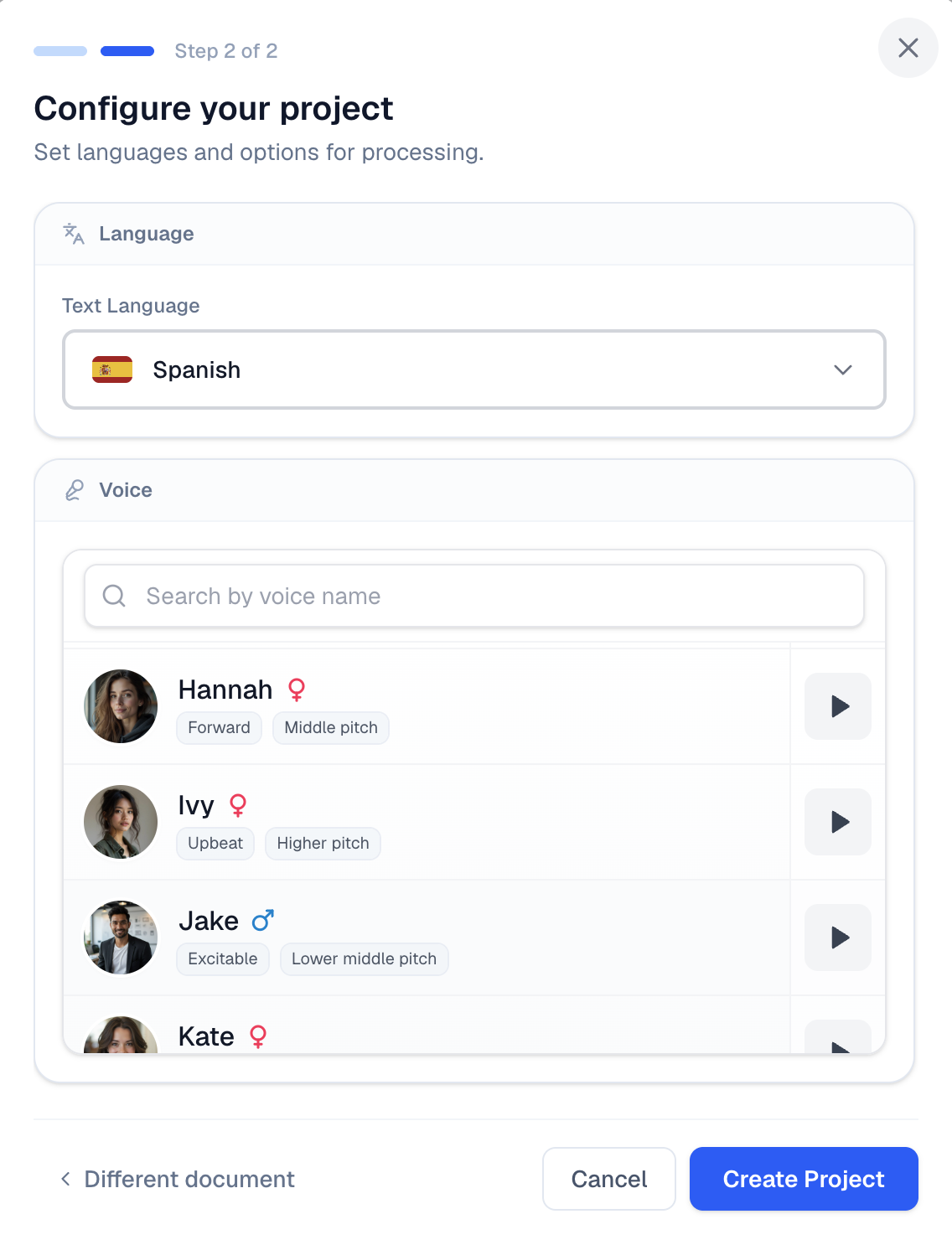
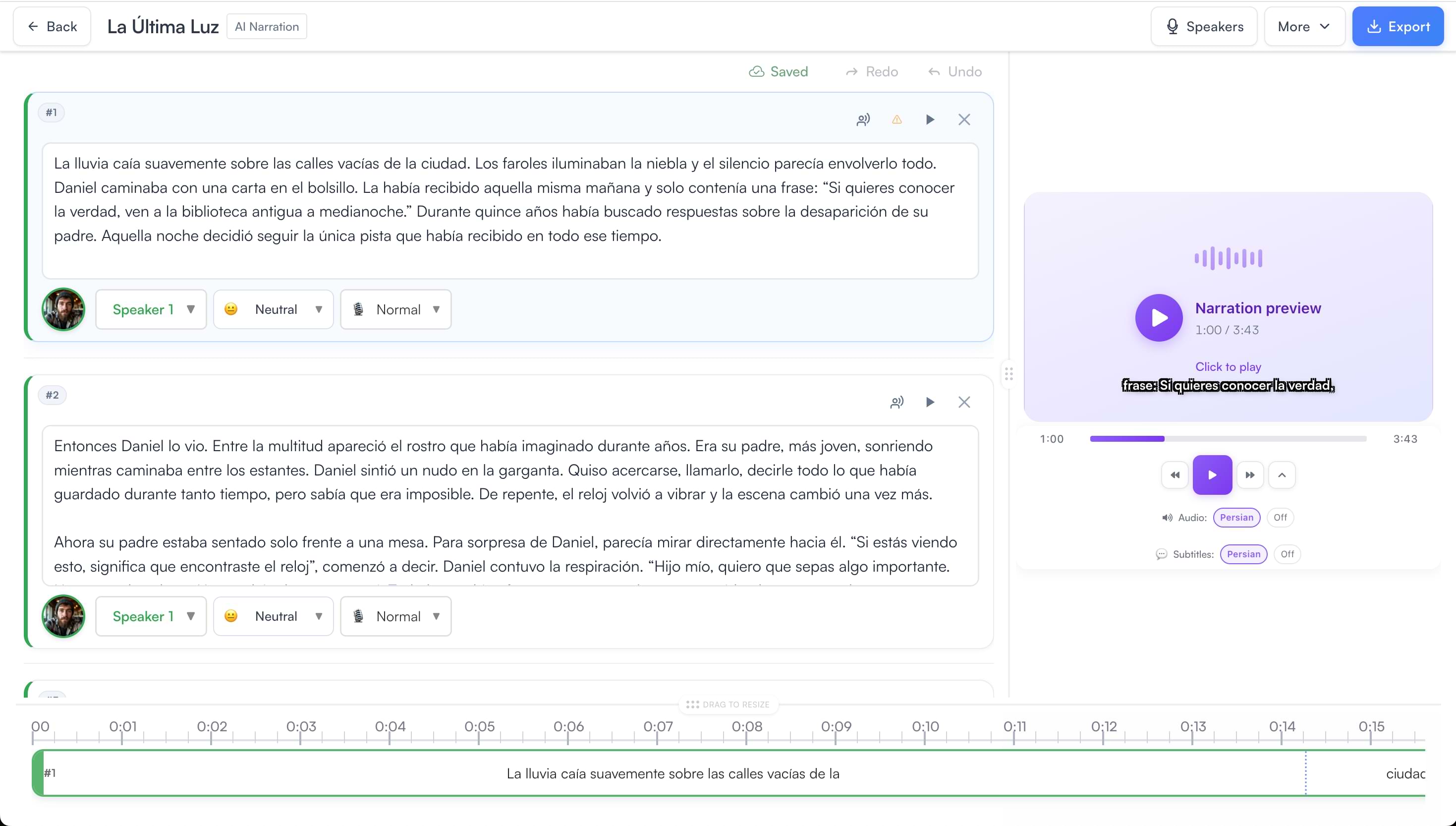
After AI narration finishes, you are not locked into a fixed export. You get the full podcast workspace — segment editor and live preview — so you can refine every line before publishing.
Add sponsor spots at pre-roll, mid-roll, or post-roll — using an AI voice or your own pre-recorded audio. Works in AI Narration and podcast translation projects.
Add a segment with your ad script, pick any AI voice — host-read or a distinct sponsor voice — generate the audio, and place it at the exact timestamp you want.
Drop in your own MP3 or WAV ad read or produced spot and position it precisely on the timeline. Drag to adjust placement and duration before export.
From document upload to polished podcast audio — with full editorial control at every step.
Upload a plain-text or Word document and the AI converts it into timed spoken segments — no recording required.
Set the text language to guide pronunciation, then search voices by name, filter by characteristics, and preview before selecting.
Your script is split into segments with start and end times, ready for timing adjustments in the timeline editor.
Edit any line, drag to adjust timing, regenerate individual segments with different voice settings — the same editor used for dubbed podcasts.
Insert sponsor spots with an AI-generated read or upload your own pre-recorded ad audio and place it anywhere on the timeline.
Export polished podcast audio as MP3 or WAV and publish to any podcast platform or RSS feed.
AI Narration accepts .txt and .docx files only. Upload your script directly from your device — video URLs, cloud storage links, and audio files are not supported for this workflow.
The text language tells the AI which language your script is written in. This helps the narration engine choose the right pronunciation, pacing, and voice library. Select from 50+ languages when configuring your project.
Yes. After AI narration completes, open the visual editor to change the assigned voice, regenerate individual segments, or adjust delivery settings — without reprocessing the entire script.
Yes. Once narration is generated, you get the same podcast editor used for dubbed episodes: segment list, live audio preview, multi-track timeline, timing controls, and per-segment regeneration. It is not a black-box export.
AI Narration starts from a written script (.txt or .docx) and generates spoken audio in your chosen language — no translation step. Podcast translation starts from recorded audio (MP3, WAV, M4A), transcribes and translates it, then dubs it into another language. If you already have audio, use podcast translation at videodubbing.com/podcast-dubbing/.
Yes. In the timeline editor you can add an AI-read sponsor spot by inserting a segment with your ad script and generating it with any voice, or upload a pre-recorded MP3 or WAV ad and place it at pre-roll, mid-roll, or post-roll. Drag to adjust placement before export.
The Creator plan is £29/month and includes 100 minutes of AI dubbing. AI Narration uses 1.0× quota per content minute — a 10-minute narrated episode uses 10 minutes from your allowance. See full pricing.